Windows beta — coming soon
A haven for
A haven for
every screen.
Arkhaven is like Guided Access for your whole computer. You choose what's open and what's off-limits, and a guardian holds the key.
Arkhaven is like Guided Access for your whole computer. You choose what's open and what's off-limits, and a guardian holds the key.
Simple controls a parent can set in a minute, with protection that holds up when a curious teenager goes looking for a way around it.
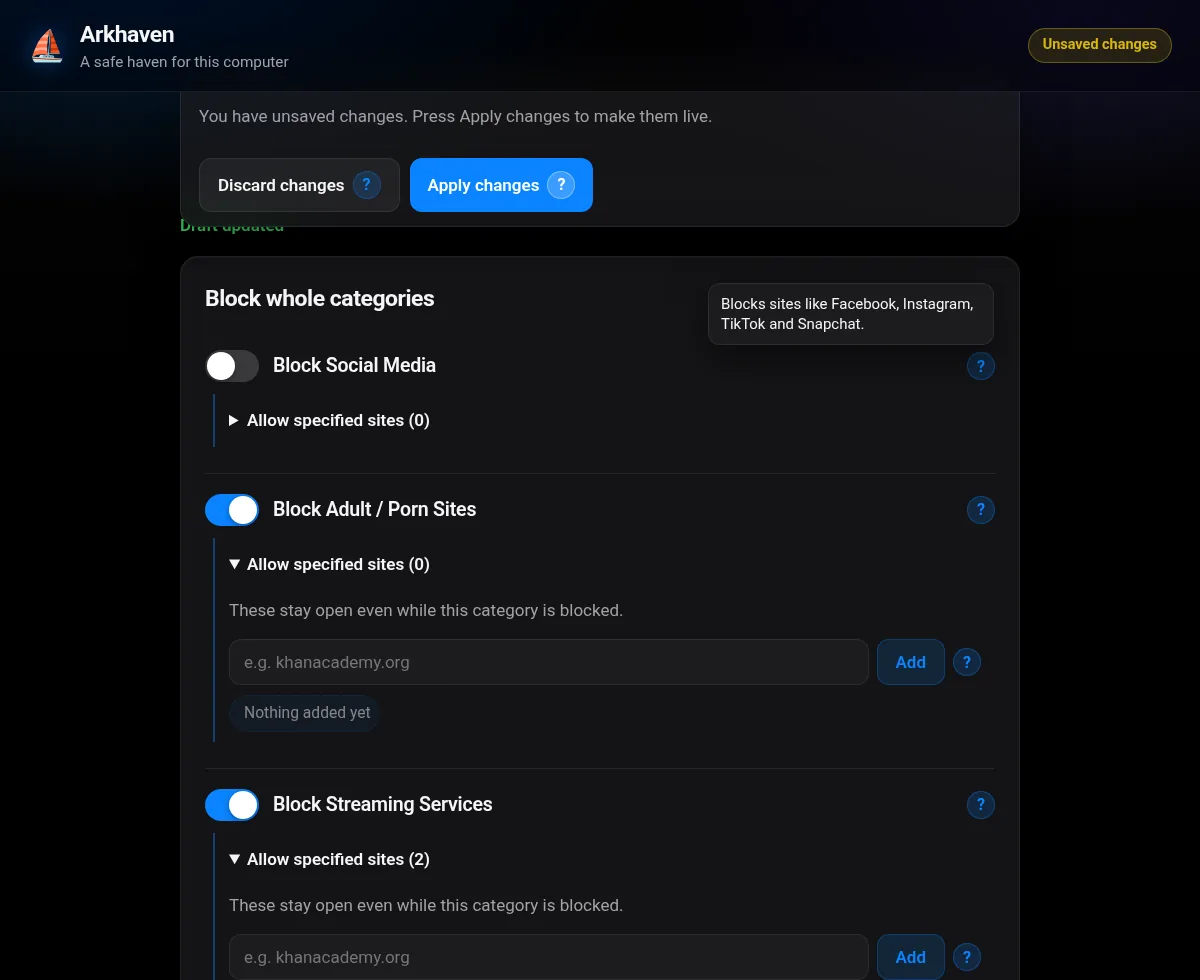
One switch each for adult content, gambling, social media, streaming, games and more. Changes wait in a draft until you press Apply.
Pick exactly what's allowed. Everything else stays closed.
Fortnite ✓Call of Duty ✕Pin the computer to one app or a short list. Only the guardian's hotkey plus PIN unlocks it.
See which apps and sites were used and for how long, broken down by day, all stored on the computer itself.
Set bedtimes, school-night rules and daily limits. You can give bonus time when it's earned.
Approve requests, lock a device, add time and get weekly reports from your phone, wherever you are.
Arkhaven runs as a Windows service. It shuts the usual escape routes: VPNs, proxies, DNS-over-HTTPS, hosts-file edits, Task Manager and other system tools.
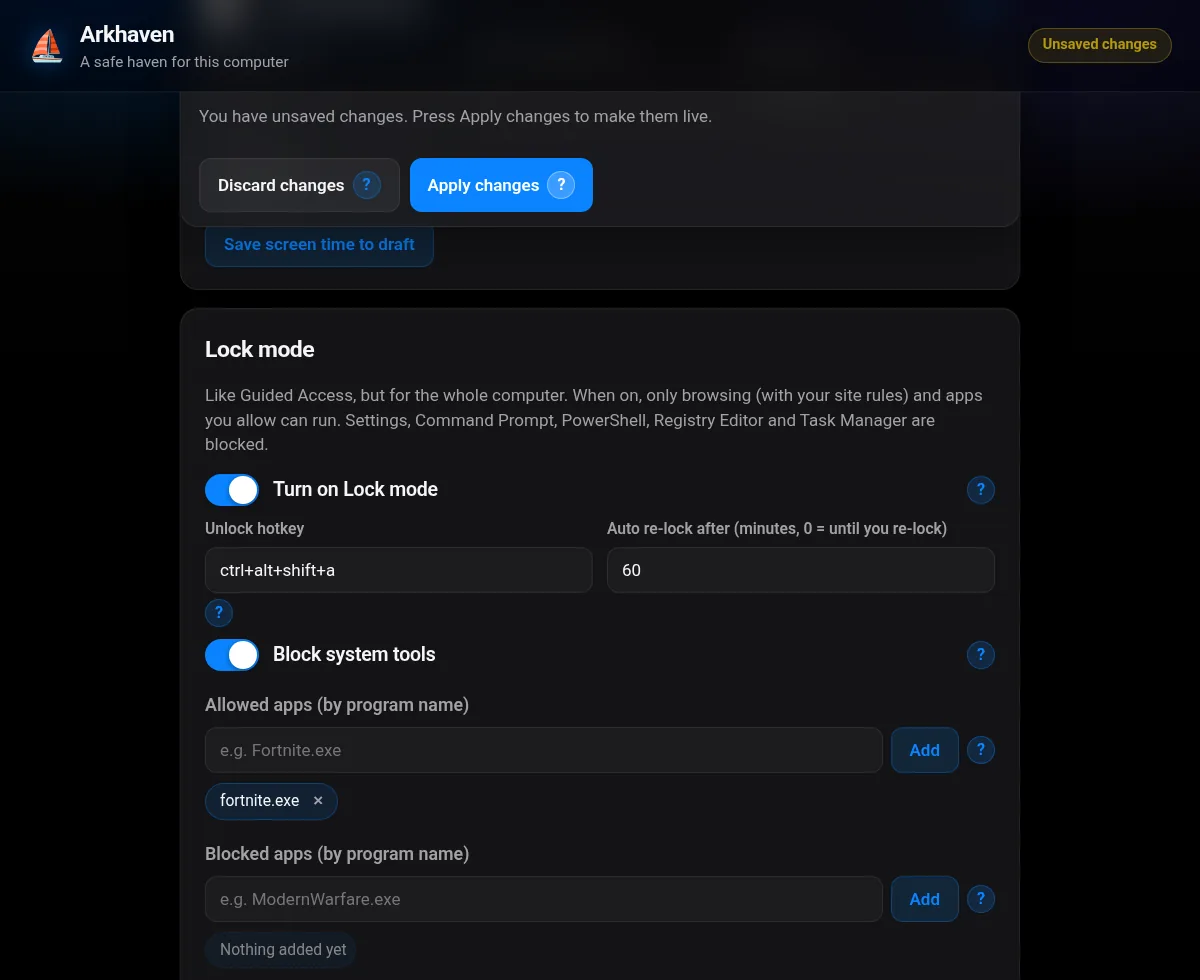
Turn on lock mode and the computer stays on the apps you've chosen. To unlock it, press Ctrl Alt Shift A and enter the guardian PIN. Without the PIN, it stays locked.
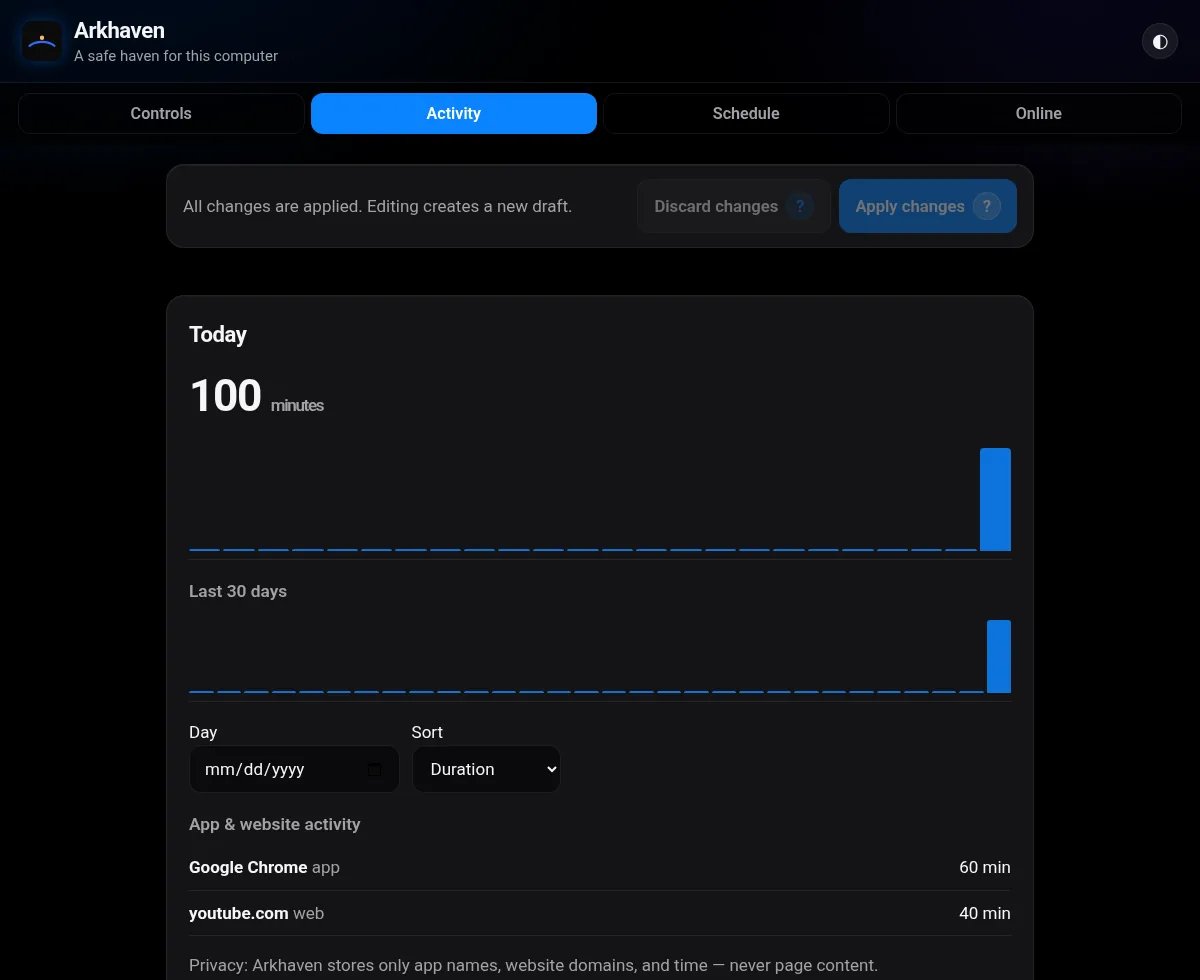
Daily totals for apps and websites, with no screenshots and no reading of messages. You see enough to start a good conversation.
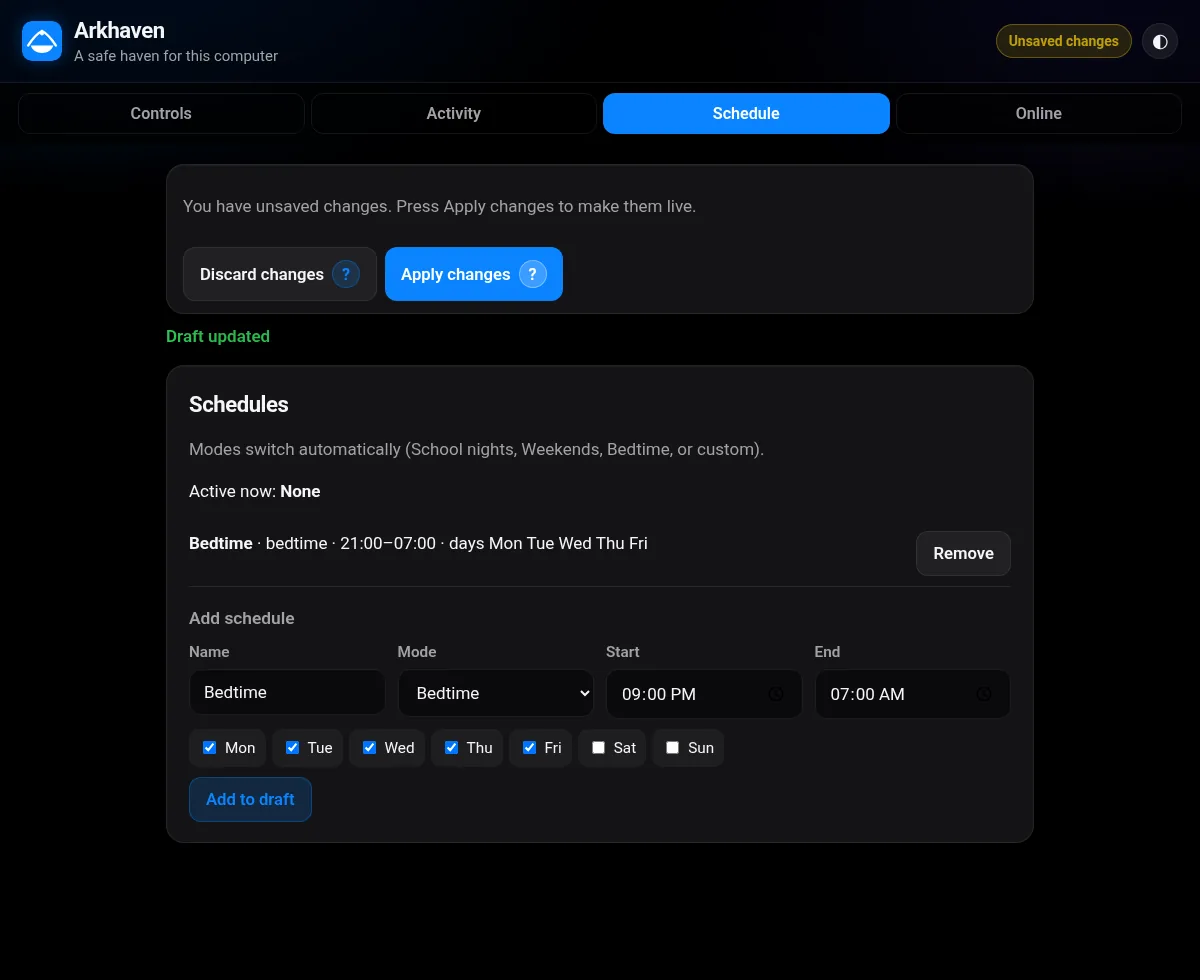
Set school nights, weekends and bedtime once, and Arkhaven applies them on schedule. A friendly block page explains what's going on and lets them ask for more time.
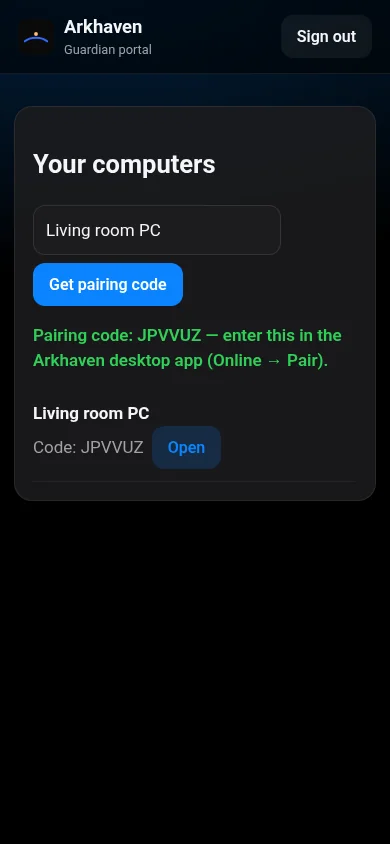
Pair a computer with a 6-character code. Then lock it, unlock it, approve requests and read weekly reports from portal.arkhaven.app.
Parents and grandparents who want a family PC that's safe, without having to be tech experts. You get sensible presets, a PIN, and that's it.
Want accountability? Make a trusted friend, spouse or mentor your guardian. They hold the key, so you aren't relying on willpower alone.
Classroom and lab computers that stay on task, with central management for staff. Join the waitlist to pilot it.
Paid plans aren't on sale yet. Join the waitlist and we'll tell you when they open.
The first 100 members keep this price for good. Coming soon, so join the waitlist to hold your spot.
The beta is coming soon. Join the waitlist and you'll get the download link first.
Coming soon.
Get the Windows beta, early pricing and launch news. You can also send us a question here.
Arkhaven is a Windows app that decides what's open on a computer and what's off-limits: sites, apps, games and times of day. Only a guardian, using a PIN or the phone portal, can change the rules.
No, not by default. Activity stays on the computer. If you pair it with the guardian portal, only summaries (such as total minutes and top apps) and your settings sync, so you can manage it from your phone. We never read messages, take screenshots or record keystrokes.
Arkhaven runs as a protected Windows service and blocks the common workarounds: VPNs, proxies, DNS-over-HTTPS, editing the hosts file, Task Manager and other system tools. No software is perfect, but this is built to hold.
Yes. Allow-only mode lets you approve exactly the games and sites you want. Fortnite can be allowed while Call of Duty stays blocked.
The optional Arkhaven Activity extension tells the Arkhaven app on the same computer which website is active, so screen-time reports can show sites as well as apps. It only reads the domain, never page content.
The Windows beta is coming soon, and people on the waitlist get it first. A Mac version is planned.
There's a free plan. Guardian is $4.99/mo or $39/yr, and Family is $6.99/mo or $49/yr for up to 10 PCs. The first 100 founding members pay $29/yr. Paid plans are coming soon.